CPU vs GPU: Key Differences Explained
Learn the key differences between CPU and GPU, how they work, and which is best for gaming, AI, video editing, and everyday computing in this complete guide.
Enjoying this? Sign up to earn credits just for reading. Create free account
CPU vs. GPU: What Is the Difference?
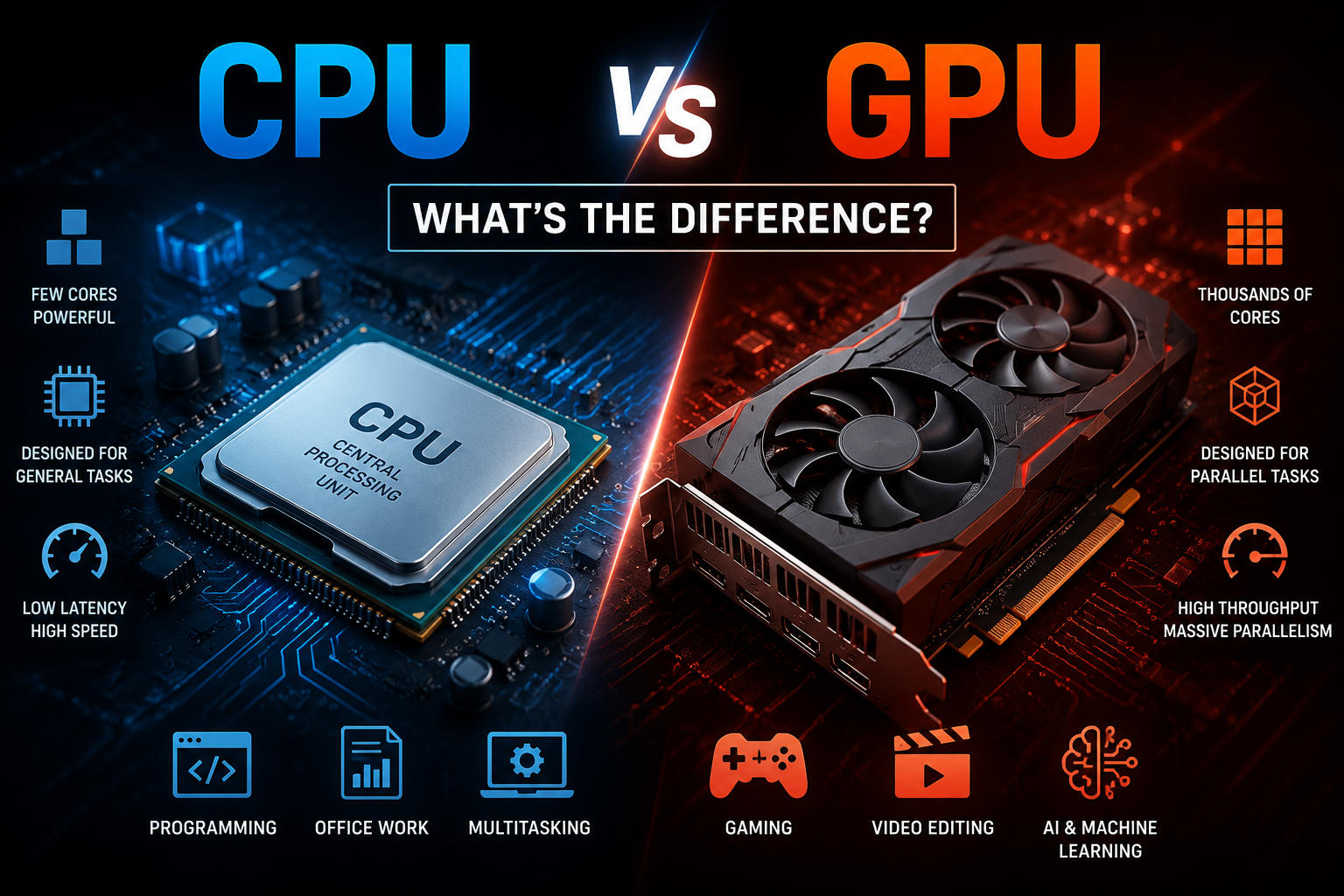
When people compare a CPU and a GPU, they are comparing two kinds of processors that solve different parts of a computing problem. Both perform calculations, but they are optimized for different workloads.
The CPU (Central Processing Unit) is the computer's general-purpose processor. It runs the operating system, executes application code, handles control flow, and responds quickly to many different kinds of instructions.
The GPU (Graphics Processing Unit) is a specialized processor originally built to accelerate graphics. Modern GPUs are also widely used for other highly parallel workloads, including AI, video processing, simulation, and some scientific computing.
In short: a CPU is designed for versatility and low-latency task handling, while a GPU is designed for high-throughput parallel work.
What Is a CPU?
A CPU is the main processor in a computer. It interprets and executes program instructions and coordinates many of the system's core activities.
What a CPU typically does
Runs the operating system
Executes application instructions
Handles branching, logic, and general-purpose calculations
Coordinates input/output and system resources
Manages many small, different tasks with low latency
CPUs usually have a small number of powerful cores compared with GPUs. Those cores are optimized for strong single-thread performance, fast decision-making, large caches, and efficient execution of varied instructions.
What Is a GPU?
A GPU is a processor optimized for doing many similar operations at the same time. Its original job was rendering images, video, textures, and 3D scenes. That same parallel design also makes it useful for other workloads that can be broken into many similar mathematical operations.
What a GPU typically does
Renders graphics for games, apps, and 3D software
Accelerates image and video workloads
Processes large batches of parallel calculations
Speeds up many AI and machine learning tasks
Helps with simulations and some scientific or engineering workloads
Modern GPUs may be integrated into the same package or chip area as the CPU, or they may be discrete, meaning a separate graphics card with its own memory.
CPU vs. GPU at a glance
Feature | CPU | GPU |
|---|---|---|
Main role | General-purpose computing | Graphics and throughput-oriented parallel computing |
Design focus | Low latency, flexibility | High throughput on similar operations |
Core style | Fewer, more complex cores | Many more execution units optimized for parallel work |
Best for | OS tasks, app logic, compilation, office work, mixed workloads | Gaming graphics, AI training/inference, rendering, simulation |
Processing style | Strong at sequential and branching-heavy tasks | Strong at data-parallel tasks |
One important nuance: saying that a GPU has "hundreds or thousands of cores" is broadly true in consumer-facing language, but CPU cores and GPU cores are not directly equivalent. They are built differently and should not be compared as if they were the same kind of core.
Architectural difference
The most important difference is not that one is "better," but that they are optimized differently.
A CPU is built to handle a wide variety of instructions quickly, including tasks that depend on previous results, branches, interrupts, and operating-system work.
A GPU is built to process many data elements in parallel, especially when the same instruction pattern is applied repeatedly across a large dataset.
That is why GPUs are excellent at workloads such as shading pixels, multiplying matrices, or processing many vertices at once. It is also why a fast GPU does not automatically make every program faster: if a task is mostly sequential, branch-heavy, or limited by data transfer, the CPU may still be the better tool.
A simple analogy
A common analogy is still useful if it is stated carefully:
The CPU is like a small team of highly skilled specialists who can switch tasks quickly and handle complicated instructions.
The GPU is like a very large team built to do the same kind of simpler operation on many items at once.
The analogy is imperfect, but it captures the basic difference between flexibility and massive parallel throughput.
In gaming
In a game, the CPU and GPU usually split the work.
The CPU handles tasks such as game logic, input handling, AI routines, world simulation, draw-call submission, and parts of the physics pipeline.
The GPU handles rendering work such as geometry processing, textures, shading, post-processing, lighting, and, on supported hardware, ray tracing acceleration.
For most modern games, the GPU has the biggest impact on visual quality, resolution, and frame rate at higher settings. However, a weak CPU can still limit performance by creating a bottleneck, especially in simulation-heavy games or at lower resolutions where the GPU is less stressed.
In AI and scientific computing
GPUs are widely used in AI because many machine learning workloads rely heavily on matrix and vector math that can be parallelized efficiently. This is especially true for training large neural networks and for many inference workloads.
That said, "GPU is always better for AI" is too simplistic. Some models, smaller inference jobs, orchestration tasks, and data-preparation steps may still run well on CPUs. In real systems, CPUs and GPUs usually work together.
Advantages of each
CPU advantages
Excellent for general-purpose computing
Strong single-thread performance in many workloads
Better for complex control flow and branching-heavy tasks
Required to run a normal PC operating system and coordinate the rest of the system
GPU advantages
Massive throughput for parallel workloads
Essential for high-performance graphics rendering
Often much faster for large AI, rendering, and simulation jobs
Well suited to repetitive numerical operations on large datasets
FAQ
Can a computer run without a GPU?
Yes, without a dedicated GPU. Many computers use integrated graphics instead of a separate graphics card. However, it is not accurate to say that most modern consumer CPUs always include integrated graphics. Many do, but not all do. Some desktop CPUs ship without integrated graphics, and some systems rely on a discrete GPU instead.
Also, some servers and specialized systems can run "headless" with little or no need for local display output, but an ordinary consumer PC usually needs some form of graphics capability to drive a monitor.
Can a GPU replace a CPU?
No, not in a normal personal computer architecture. A GPU is a specialized coprocessor, not a general replacement for the CPU. It depends on the CPU and platform firmware to boot the system, run the operating system, manage devices, and coordinate work.
Which matters more for gaming: CPU or GPU?
In most gaming scenarios, the GPU has the bigger effect on graphics quality and performance, especially at higher resolutions and visual settings. But the answer depends on the game and target frame rate. Competitive games that chase very high frame rates can become CPU-limited, while visually demanding games are often GPU-limited.
Why are GPUs used for AI?
GPUs are useful for AI because many AI workloads involve large numbers of similar arithmetic operations, especially matrix multiplications, that can be processed in parallel. That parallel structure often lets a GPU complete the job much faster than a CPU alone.
Conclusion
A CPU and a GPU are both processors, but they are not interchangeable. The CPU is the general-purpose controller and execution engine for the system, while the GPU is a specialized accelerator for graphics and other parallel workloads. For most modern computers, the best results come from using each processor for the kind of work it was designed to do.